


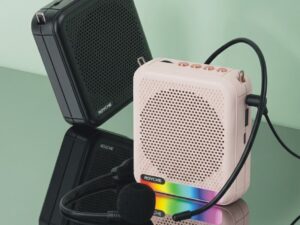
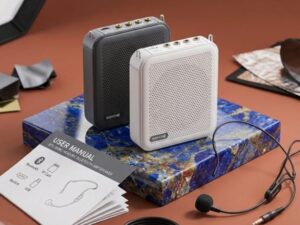

- Product Specifications
Model: BTS-300M
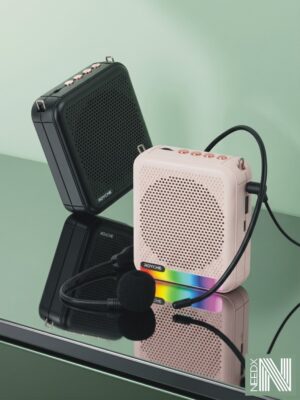
Functions: Voice Amplification, Bluetooth Audio, USB/TF Card Playback.
Portability: Compact design with an adjustable waistband/clip.
Battery: Built-in rechargeable battery via Micro-USB.
- How to Use the Microphone
Setup: Place the head-mic comfortably on your head with the microphone tip about 1 inch away from your mouth.
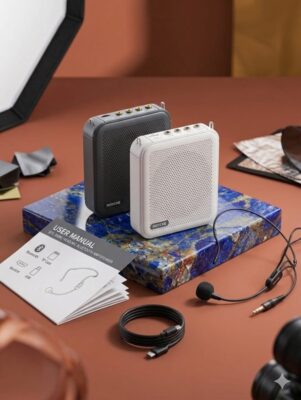
Connection: Plug the 3.5mm mic cable into the port labeled “MIC” on top of the speaker.
Power On: Rotate the Power/Volume dial clockwise until you hear a click.
Adjust Volume: Speak into the mic and adjust the dial to your preferred loudness.
- Bluetooth & Media Playback
Bluetooth Mode: Press the “M” (Mode) button until the device announces “Bluetooth Mode.” Search for “BTS-300M” on your smartphone and connect.
USB/TF Card: Simply insert a USB drive or Micro-SD card. The speaker will automatically begin playing stored MP3 files.
Controls: Use the Next/Previous buttons to skip tracks and the Play/Pause button to manage your music.
- Charging Instructions
Connect the provided USB cable to the charging port.
A light indicator will show the charging status.
Note: Please charge the device fully (approx. 3-4 hours) before the first use for optimal battery health.
- Pro-Tips for Best Sound
Avoid Feedback: Never point the microphone directly at the speaker grill while it is turned on. This prevents loud, high-pitched screeching noises.
Placement: For the best experience, wear the speaker on your waist using the clip or strap, facing away from the microphone.












Reviews
There are no reviews yet.